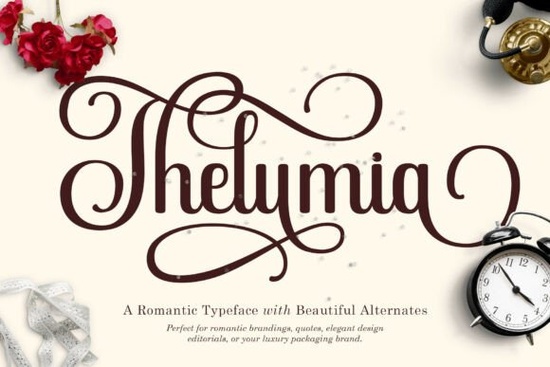
Finding the right typography for a project can be difficult, especially when you want something that feels both modern and timeless. The Thelumia Font is a strong option for designers looking to add a touch of luxury to their work. It is a serif typeface that balances classic structure with fluid motion, making it suitable for various creative tasks. Whether you are working on print materials or digital layouts, having a versatile typeface in your library helps maintain consistency across different brands.
This typeface is engineered to bring artistic flair to your typography without sacrificing readability. It works well for projects that require a poetic or premium aesthetic. Many creators look for fonts that offer more than just standard letters, and this one provides extensive customization options through its alternate characters.
What makes this typeface stand out?
The main feature of this font is its massive library of alternate characters. It offers a staggering range of Stylistic Sets from ss01 to ss15. This allows you to completely transform individual letters, customizing the rhythm and flow of every word. You are not stuck with a single look for each character. Instead, you can swap out specific glyphs to match the mood of your design.
Packed with beautiful, seamless ligatures and dramatic, sweeping swashes, it gives you the power to create bespoke lettering that looks entirely hand-drawn and high-end. These features are essential for avoiding repetitive patterns in your text. When every word looks unique, the overall design feels more intentional and crafted. This level of detail is often what separates amateur work from professional branding.
When should you choose this style?
This typeface shines in contexts that require emotion and sophistication. Whether you are crafting deeply emotional romantic quotes, designing luxurious wedding invitation suites, branding high-fashion labels, or creating eye-catching movie posters, it injects a premium aesthetic into every layout. It is particularly effective for industries where trust and elegance are paramount.
For example, wedding stationery benefits from the romantic curves, while fashion branding uses the sharp serifs to convey authority. If you need something softer or more playful, you might explore other options. For a more casual vibe, you could look at the Preppy Bubbly Font. If you want something with a bit more bounce, the Betterfly Font is another alternative worth checking out.
Sometimes, a script style fits the brief better than a serif. If your project calls for flowing handwriting styles, the Mothers Plate Font offers a different kind of charm. For those who prefer a waiting list or upcoming style notification, checking out the Waiting Font might be useful for future projects. However, for immediate luxury needs, Thelumia remains a top choice.
What files are included in the download?
When you acquire this typeface, you receive both Thelumia.otf and Thelumia.ttf formats. This ensures compatibility across different operating systems and design software. Whether you use Adobe Illustrator, Photoshop, or free alternatives like Canva, these file types are widely supported. Having both formats means you do not need to worry about conversion issues when sending files to clients or printers.
Installation is straightforward. You simply load the files into your system's font book. Once installed, the features like ligatures and swashes are accessible through your design software's glyph panel. It is important to explore these panels to find the hidden characters that make the font unique.
How do you access the alternate characters?
To make the most of the Stylistic Sets, you need to know where to look in your software. In Adobe applications, you can open the OpenType panel to toggle between ss01 and ss15. This is where the magic happens. You can change the tail of a "y" or the crossbar of a "t" with a single click.
Experimenting with these sets helps you find the perfect combination for your specific wordmark. Do not just stick to the default settings. The value of this font lies in its flexibility. By mixing and matching alternates, you create a custom logotype without needing to draw it by hand.
- Check compatibility: Ensure your software supports OpenType features.
- Test legibility: Make sure swashes do not clash with surrounding letters.
- Pair wisely: Combine with a simple sans-serif for body text.
- Export correctly: Outline fonts before sending to print to avoid missing glyphs.
Using a serif font like this requires attention to spacing. Kerning might need manual adjustment when using heavy swashes. Always zoom in to check how the letters interact. Good typography is invisible, but bad typography is distracting. Take the time to refine the details before finalizing your design.
Start by downloading the font and installing it on your machine. Open your design software and type out a few test words. Toggle through the stylistic sets to see how the shape changes. Once you find a combination you like, save it as a style preset if your software allows. This saves time on future projects.
Get Started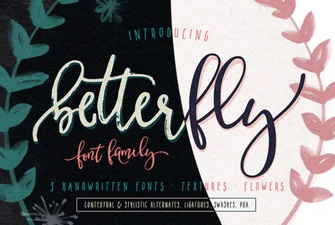 Betterfly Font: Design Ideas for Creative Projects
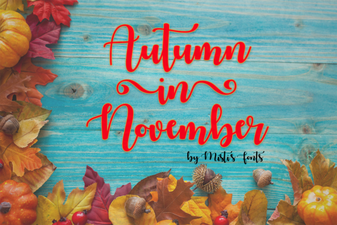 November Font Inspiration for Autumn Projects
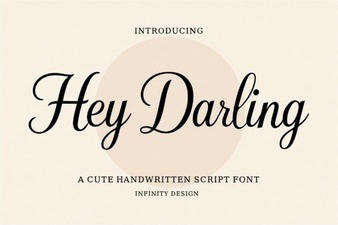 Hey Darling Font Designs for Creative Projects
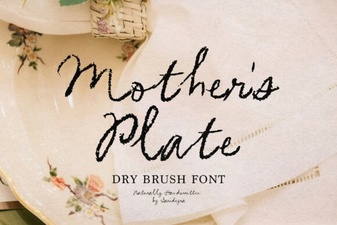 Mother's Plate Fonts: Designing Beautiful Dinnerware
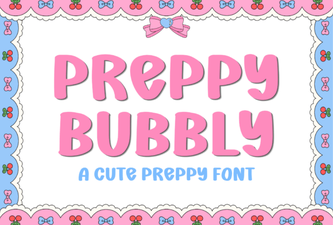 Crafting with the Preppy Bubbly Font Style
 Smithson Font: Elegant Designs & Creative Uses