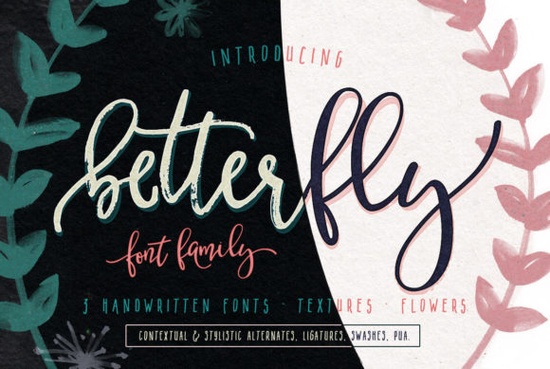
Finding a script font that balances elegance with actual readability can be frustrating for designers and crafters. You want something that looks hand-lettered but doesn't sacrifice legibility when printed on a t-shirt or wedding invitation. The BetterFly Font aims to solve this by offering a vast library of glyphs and smart OpenType features. With over 565 unique characters, it provides enough variety to keep your projects looking fresh without needing to switch typefaces constantly.
This typeface is fully PUA encoded, which is a crucial detail for users working with cutting machines like Cricut or Silhouette. PUA encoding ensures that every special character, swash, and alternate letter is accessible without needing complex software workarounds. For small business owners selling print-on-demand products, this saves significant time during the design phase. You can access stylistic alternates and ligatures directly in many standard design programs, allowing for a custom look with less effort.
Why Glyph Count Matters for Custom Designs
Many script fonts look great in samples but fail when you type out longer words. This happens because the font lacks enough alternate characters to prevent repetitive patterns. When the same letter shape appears twice in a row, the text looks digital rather than handwritten. BetterFly addresses this with contextual alternates and discretionary ligatures. These features automatically swap letters based on their neighbors, creating a natural flow.
For example, if you are designing a logo for a boutique, you want the connection between letters to feel organic. The included swashes and swooshes allow you to add flourishes to the beginning or end of words. This is particularly useful for monograms or header text where you need a focal point. You can explore more examples of how glyph variety impacts design in our script font gallery to see the difference in action.
Who Should Use This Typeface?
This font is versatile enough for several creative niches. Wedding stationery designers will appreciate the elegant strokes that mimic calligraphy pens. It works well for save-the-dates, menu cards, and venue signage. Additionally, crafters creating vinyl decals for tumblers or wall art will find the PUA encoding essential for accessing all the decorative elements.
Small business owners branding their packaging can also benefit. A unique script helps establish a premium feel without the cost of custom lettering. If you are looking for something with a bit more bounce or casual vibe, you might compare this to the Preppy Bubbly Font. While BetterFly leans towards elegance, other options offer a playful energy suitable for children's products or fun stickers.
Technical Features Breakdown
Understanding the OpenType features can help you get the most out of your purchase. Here is what is included:
- Contextual Alternates: Automatically changes letter shapes for better flow.
- Stylistic Alternates: Gives you manual control over specific letter variations.
- Swashes & Swooshes: Adds decorative tails to start and end points.
- PUA Encoding: Ensures full character access in cutting software.
Installation is straightforward on both Windows and Mac systems. Once installed, you can access these features in software like Adobe Illustrator, Photoshop, or even Microsoft Word if the OpenType panel is available. For those using Canva, remember that PUA features often require uploading the font as a custom file if you have a Pro account, though some alternate characters may not be accessible depending on the platform's support for OpenType.
Exploring Similar Script Options
While this font is a strong contender for elegant projects, it helps to have options. If you need something with a classic serif influence mixed with script, the Smithson Font might be worth investigating. It offers a different weight and structure that pairs well with heavier sans-serifs.
For romantic or vintage-themed projects, the Hey Darling Font provides a softer touch. It is often used in lifestyle branding where approachability is key. We have compiled a list of similar styles in our Hey Darling collection post for those who want to compare side-by-side.
Sometimes you need a font that feels a bit more urgent or textured. The Waiting Font offers a different aesthetic that might suit editorial designs better. You can read more about when to use textured scripts in our detailed look at waiting styles. Each of these typefaces serves a specific purpose, so choosing the right one depends on your brand voice.
Final Tips for Implementation
When using script fonts for commercial projects, always check the license terms. Most Creative Fabrica products come with a POD license, but it is good practice to verify if there are restrictions on trademarking the font itself. You cannot trademark the font file, but you can usually trademark a logo created with it.
To ensure the best print quality, always convert your text to outlines or paths before sending files to a printer. This prevents font substitution errors if the print shop does not have the file installed. Additionally, test your design at actual size. A script that looks readable on a screen might lose detail when printed small on a business card.
Quick Checklist Before You Start:
- Verify the license covers your specific commercial use case.
- Install the font and restart your design software.
- Test the PUA characters in your cutting machine software if applicable.
- Use OpenType panels to toggle alternates for a natural look.
- Convert text to paths before final export for print.
If you are ready to upgrade your typography toolkit, exploring high-quality scripts is a great first step. For more inspiration on pairing fonts, check our Smithson review page to see how different weights interact. Taking the time to learn the specific features of your new font will help you create unique experiences for your customers every time.
Get Started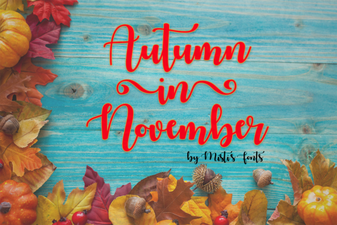 November Font Inspiration for Autumn Projects
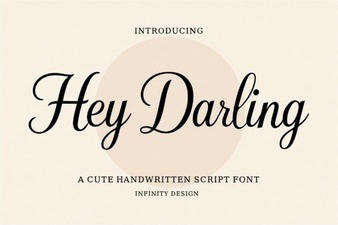 Hey Darling Font Designs for Creative Projects
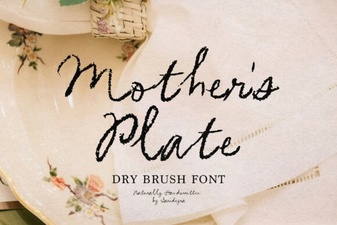 Mother's Plate Fonts: Designing Beautiful Dinnerware
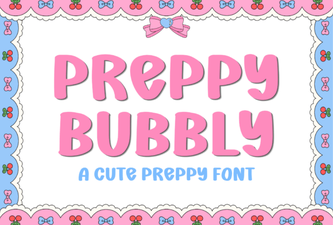 Crafting with the Preppy Bubbly Font Style
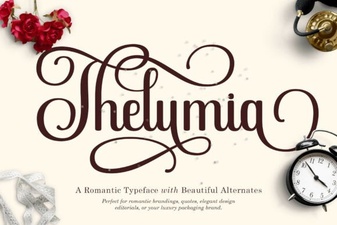 Thelumia Font: Free Download & Design Guide
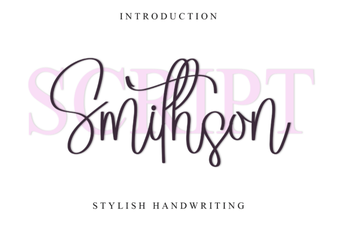 Smithson Font: Elegant Designs & Creative Uses