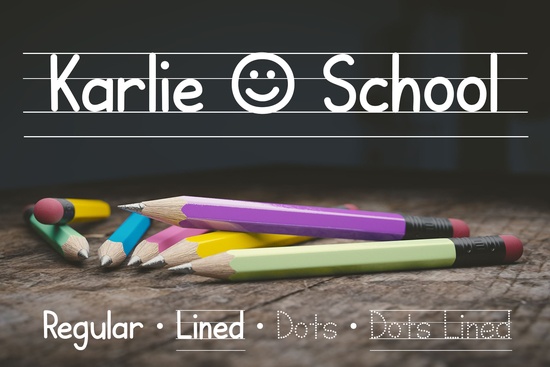
Teaching children how to write requires tools that match their developmental stage. Standard typefaces often look too polished or complex for early learners who are just mastering pencil control. This is where Karlie School Font becomes a practical solution for educators and parents. Designed specifically for teaching handwriting, this typeface includes dotted tracing options and built-in guidelines to simplify worksheet creation. It was born from a real need when a typographer's family member, a teacher, could not find suitable resources for her students. Instead of struggling with generic files, she now has a dedicated tool that supports letter formation and consistency.
When you download this package, you receive more than just a standard font file. The set includes basic handwriting styles, dotted tracing versions, and variants with pre-drawn guidelines. These features save time because you do not need to draw lines manually in your design software. You can type directly onto the page, and the structure is already there. This consistency helps children focus on the shape of the letters rather than worrying about staying on the line. For homeschooling parents or classroom teachers, this reduces preparation time significantly.
What makes this font different from standard typefaces?
Most digital fonts are designed for reading, not writing practice. They lack the visual cues that help a child understand where to start and stop a stroke. Karlie School addresses this by incorporating pedagogical elements directly into the characters. The dotted lines show the path of the pen, while the solid versions provide a clear target for independent writing. This dual approach allows you to create progressive lessons. You can start with tracing and move to copying as the student gains confidence.
Beyond education, this style fits well with projects that need a genuine, hand-made look. If you are creating invitations for a baby shower or a birthday party with a school theme, this typeface adds authenticity. However, if you need something bolder for headers or logos, you might explore other options. For example, you could pair this handwriting style with a strong display font like Heiruns to create contrast in your layout. The combination of a structured script and a bold display font often results in a balanced and professional design.
How can you use these files in your projects?
The versatility of this tool extends beyond simple worksheets. Print-on-demand sellers can use these files to create educational posters, flashcards, or planner stickers. Small businesses offering tutoring services can brand their materials with a consistent look that appeals to parents. Since the font includes guidelines, it is particularly useful for creating language learning materials where letter height and spacing are critical.
When designing these materials, consider the overall aesthetic of your brand. If you want a playful vibe, you might look at Drulte Latte for complementary elements that feel soft and inviting. For a more structured or craft-oriented project, Crafta offers a different texture that works well with DIY kits. Mixing these styles allows you to cater to different age groups or subject matters without losing visual coherence. Always ensure that the primary text remains legible, especially for young readers.
Is it compatible with your design software?
Most modern design applications support standard font formats like OTF and TTF. You can install this font on Windows or Mac systems and use it in programs like Microsoft Word, Adobe Illustrator, or Canva. Once installed, it behaves like any other typeface. You can adjust the size, color, and spacing to fit your page layout. The guideline versions work best when kept at a consistent size to maintain the correct proportions for handwriting practice.
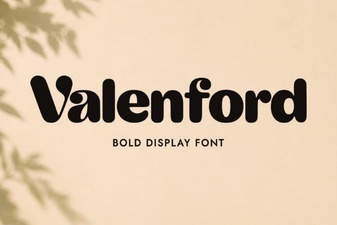
For those building a larger library of resources, variety is key. You might want a serif option for body text or a modern sans-serif for instructions. Valenford provides a classic elegance that pairs well with educational content aimed at older students or parents. By having a range of styles, you can organize your materials by grade level or subject. Keep your files organized in folders so you can quickly access the right style when a project deadline approaches.
Where can you find more educational resources?
If you are building a collection of teaching aids, browsing specific categories can help you find matching assets. You can view the Karlie School display fonts collection to see related styles that might fit your curriculum. Having a cohesive set of fonts makes your materials look professional and trustworthy. Parents and school administrators are more likely to use resources that appear well-designed and thoughtful.
Remember to test your designs before printing or publishing. Print a sample sheet to check if the dotted lines are visible enough for children to trace. Ensure there is enough contrast between the text and the background. Good design removes barriers to learning, allowing the student to focus on the task at hand. With the right tools, creating effective educational materials becomes a straightforward process rather than a struggle.
Quick Checklist for Creating Handwriting Worksheets
- Check Line Height: Ensure the guidelines match the age group's writing ability.
- Test Print Quality: Verify that dotted lines are dark enough to be seen clearly.
- Limit Distractions: Keep the page layout clean with plenty of white space.
- Use Consistent Fonts: Stick to one handwriting style per lesson to avoid confusion.
- Save Formats: Keep editable files so you can update text without redesigning the whole page.
 Creative Pirate Font Projects & Designs
 Valenford Font: Design Ideas and Best Uses
 Explore Creative Projects with Drulte Latte Font
 Glubio Font: Designing with Modern Playful Typography
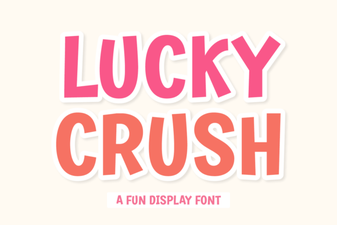 Best Fonts for Lucky Crush Style Projects
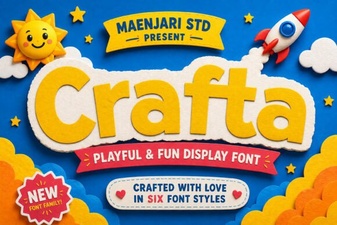 Crafta Font: Creative Typography for Modern Design