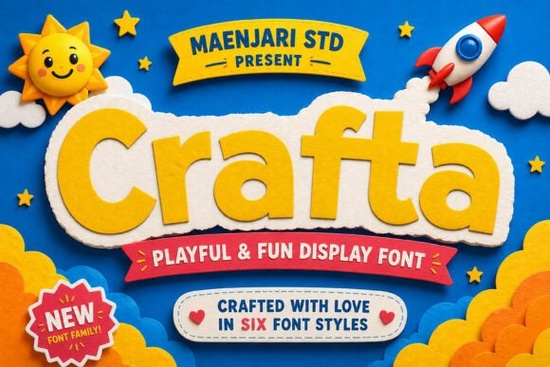
When you are working on a DIY project, the right typography can make all the difference between a good idea and a great finish. Crafta is a font family designed specifically to handle the needs of crafters, educators, and small business owners. It brings a sense of youthful imagination to your work without sacrificing readability. Whether you are making birthday cards, customizing t-shirts, or setting up classroom decor, this typeface offers bold and clear characters that stand out.
The main appeal here is versatility. You get six different style variations in one package. This means you do not need to buy multiple fonts to get different looks. You can switch from the neat, sharp "Regular" style for striking titles to the playful "Rounded Condensed" version for a modern, stamp-like visual. This flexibility helps you maintain a consistent brand or theme across different materials while keeping things fresh.
What Makes This Font Family Useful for Crafters?
Designers and hobbyists often struggle to find fonts that look good on screen and cut well on vinyl. Legibility is key when you are working with physical materials. Crafta addresses this by offering clear shapes that do not get lost when resized. The bold strokes ensure that your text remains visible even on smaller items like stickers or labels.
Another important factor is the mood it sets. This font family oozes creativity and fun. It is not too formal, which makes it perfect for projects aimed at children or casual events. If you are selling print-on-demand products, having a font that feels friendly can help your designs connect better with customers. It strikes a balance between professional quality and approachable style.
How Does It Perform with Cutting Machines?
Compatibility is a major concern for anyone using devices like Cricut or Silhouette. Complex scripts often require extra welding or manual adjustments in your design software. Crafta is built to work smoothly with these tools. The characters are distinct, reducing the chance of cutting errors where letters might merge unintentionally.
When you import the files into your cutting software, you will find they behave predictably. This saves you time during the production phase. Instead of fixing anchor points or adjusting spacing, you can focus on the layout and color choices. For small businesses, time saved on technical fixes is time earned for marketing or creating new products.
Are There Similar Styles to Consider?
If you enjoy this type of display typography, you might want to explore other options that share similar characteristics. Expanding your library with complementary fonts allows you to create more varied designs. Here are a few related styles you can check out on our site:
- If you like bold statements, look at Heiruns for a strong presence.
- For something cleaner, Simple Weight offers a minimalist approach.
- Educators might prefer Karlie for classroom materials.
- To add some energy, Lucky Crush provides a dynamic feel.
Having a range of fonts ensures you are not limited to one look. You can mix and match these families to create hierarchy in your designs. For example, use a bold font for the headline and a simpler one for the body text. This keeps your projects organized and easy to read.
Where Can You Apply These Designs?
The applications for this font family are wide-ranging. Beyond paper crafts, you can use it for digital projects too. Social media graphics benefit from clear typography that reads well on mobile screens. If you run an online shop, product mockups look more professional when the text is crisp and well-spaced.
Classroom decor is another strong use case. Teachers often need to print name tags, banners, and instructional signs. A font that is fun yet clear helps maintain a positive learning environment. You can also use it for personal projects like scrapbooking or planning. The six style variations give you enough options to keep your personal projects interesting without needing to download new files constantly.
What Should You Check Before Downloading?
Always review the license terms before using any font for commercial purposes. Most creative assets come with specific rules about how many items you can sell or where you can display the design. Ensure your intended use aligns with the agreement. This protects you from potential issues down the line.
Also, check the file formats included. You typically want OTF or TTF files for maximum compatibility with design software like Adobe Illustrator, Canva, or CorelDraw. Having the right files ensures you can install the font on both Mac and Windows systems without trouble.
Quick Checklist for Your Next Project
- Verify License: Confirm you are allowed to use the font for commercial sales.
- Test Cut: Run a small test on your vinyl cutter to check spacing.
- Check Contrast: Ensure the text color stands out against your material background.
- Save Versions: Keep both the editable design file and a flattened image for backups.
Starting with a reliable typeface simplifies the entire creation process. When your tools work as expected, you can focus more on the creative side of your business or hobby. Take your time to experiment with the different styles included in the family to see which one fits your specific project best.
Get Started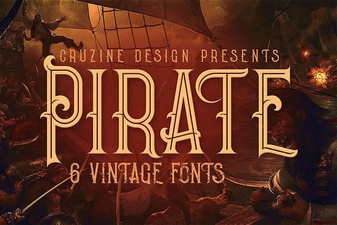 Creative Pirate Font Projects & Designs
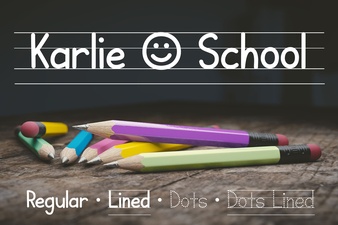 Karlie School Font: Design Projects & Usability Guide
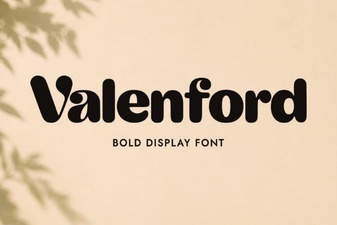 Valenford Font: Design Ideas and Best Uses
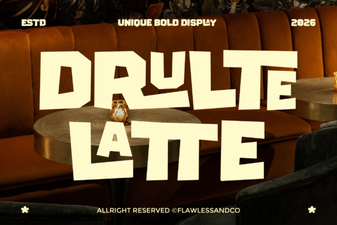 Explore Creative Projects with Drulte Latte Font
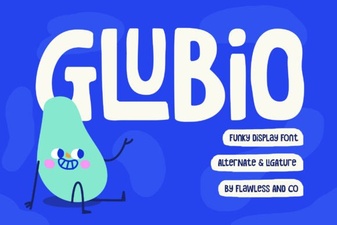 Glubio Font: Designing with Modern Playful Typography
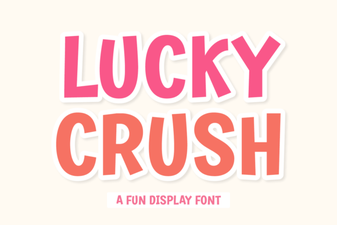 Best Fonts for Lucky Crush Style Projects